How to get notifications for several Gmail accounts
On a computer, Gmail notifies only for an account that is open in a tab, and each account has its own notification setting. So with several accounts you need one open Gmail tab per account, each with desktop notifications on. Gmail’s phone apps notify for every account added to them. A notifier extension can check all your accounts from the browser, with no tabs open.
One tab per account
- Sign in to every account in the same browser: in Gmail, click your profile picture at the top right, then Add another account. Gmail numbers them: the first opens at
mail.google.com/mail/u/0, the second at/u/1, and so on. - Open each account in its own tab, and pin the tabs so they stay open.
- In each account, turn on Desktop notifications in Settings → See all settings → General, and click Save Changes. See turning on Gmail desktop notifications for the browser and system switches.
Closing a tab silences that account.
Switching between accounts
The profile picture at the top right of Gmail lists every account signed in to the browser; pick one to open it. A tab notifies only for the account it shows, so keep one tab per account if you want to hear from all of them.
On your phone
The Gmail app for Android and iOS can hold many accounts and notifies for each one you turn on in its settings.
Work and school accounts
Google Workspace accounts work the same way. Some organizations limit which browsers or extensions may open their mail; if an account will not stay signed in, ask whoever runs it.
Every account, no tabs
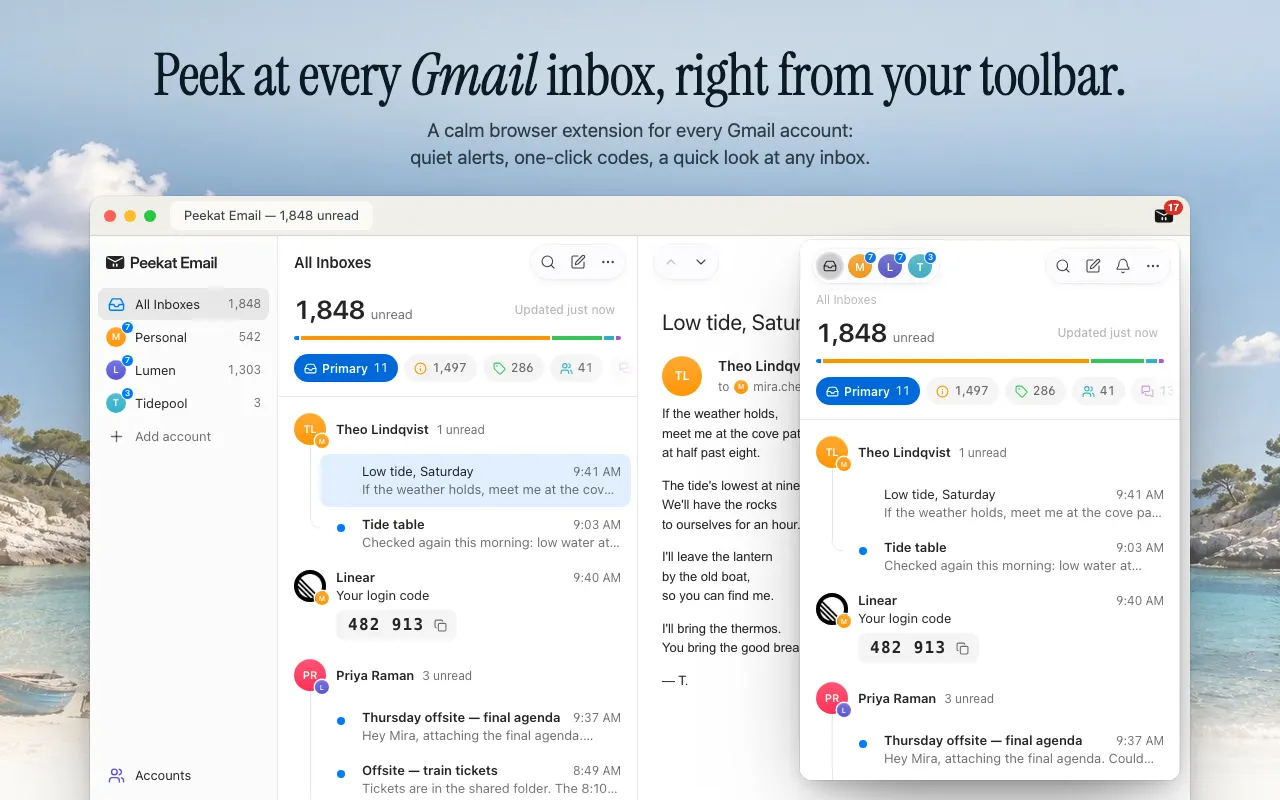
Peekat Email is a free browser extension that finds every Gmail account signed in to your browser, personal and Workspace, with no limit on how many. It checks them all from the browser, so no Gmail tab needs to stay open.
- All Inboxes adds every account to one unread total, and each account keeps its own count.
- To add an account, sign in to it in a new tab; it appears in Peekat by itself.
- Each account can be checked and notify, be listed, but quiet, or not be checked at all. You can name accounts; the names stay in Peekat.
- The toolbar badge counts what needs you across accounts, or every unread message if you prefer.
 Add to Chrome — free
Chrome Web Store and Edge Add-ons. Other browsers
Add to Chrome — free
Chrome Web Store and Edge Add-ons. Other browsers